 Medvel
Your hospital's own WhatsApp. Secure, NABH-ready, and it works without the internet.
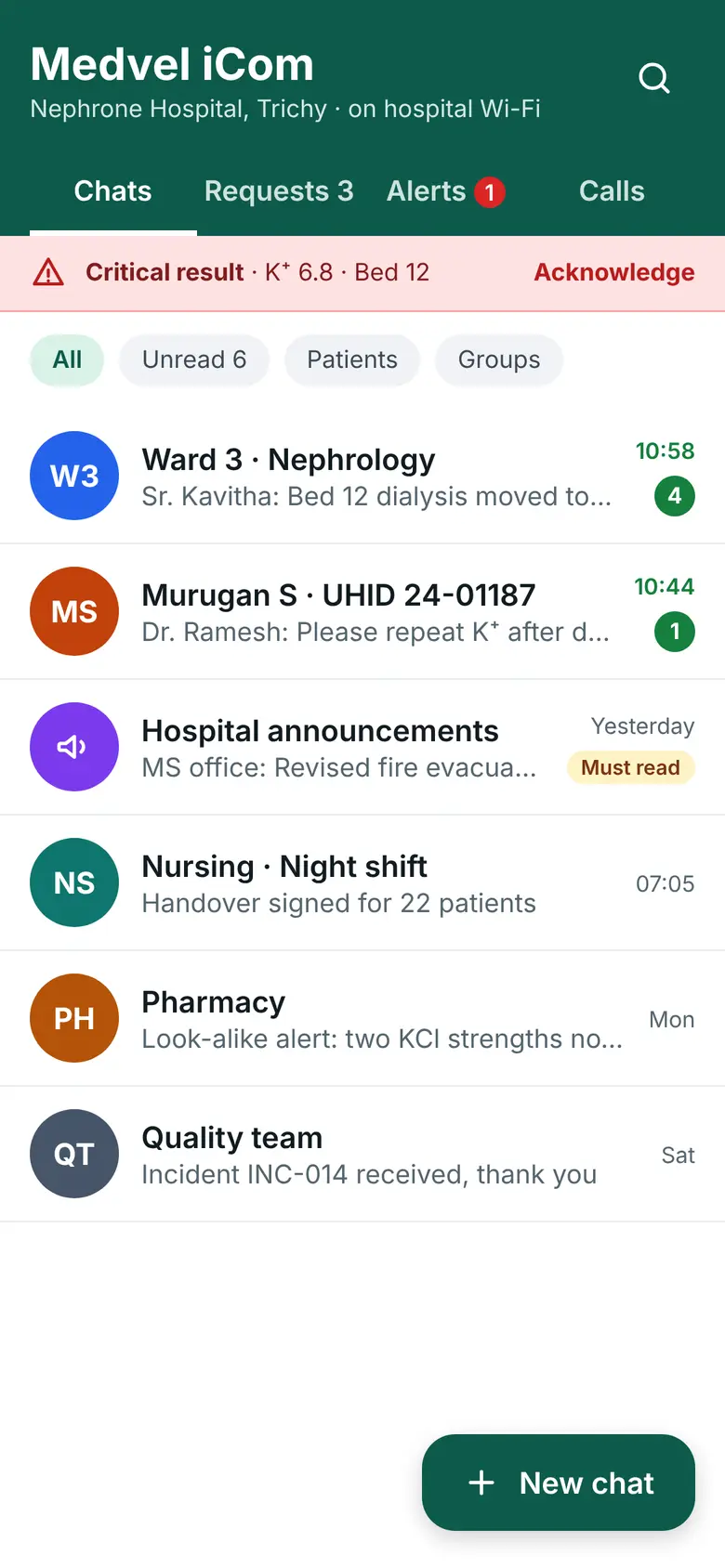
Chat, calls, critical alerts and service requests for every doctor, nurse and technician, running on your own server and tied to your patients in Medvel.
- Android, iPhone, web, Windows
- English, Tamil, Hindi
- Data stays in your hospital
Retire the personal WhatsApp groups in a week
Patient photos, lab values and duty changes sit on staff phones today, with no record. iCom moves all of it onto a system the hospital owns.
Switch it on in Medvel
iCom installs on the Medvel server you already run. No new hardware and no cloud account.
Staff sign in with their Medvel ID
Ward, department and shift groups build themselves from your rosters. New joiners are added automatically.
Close the old groups
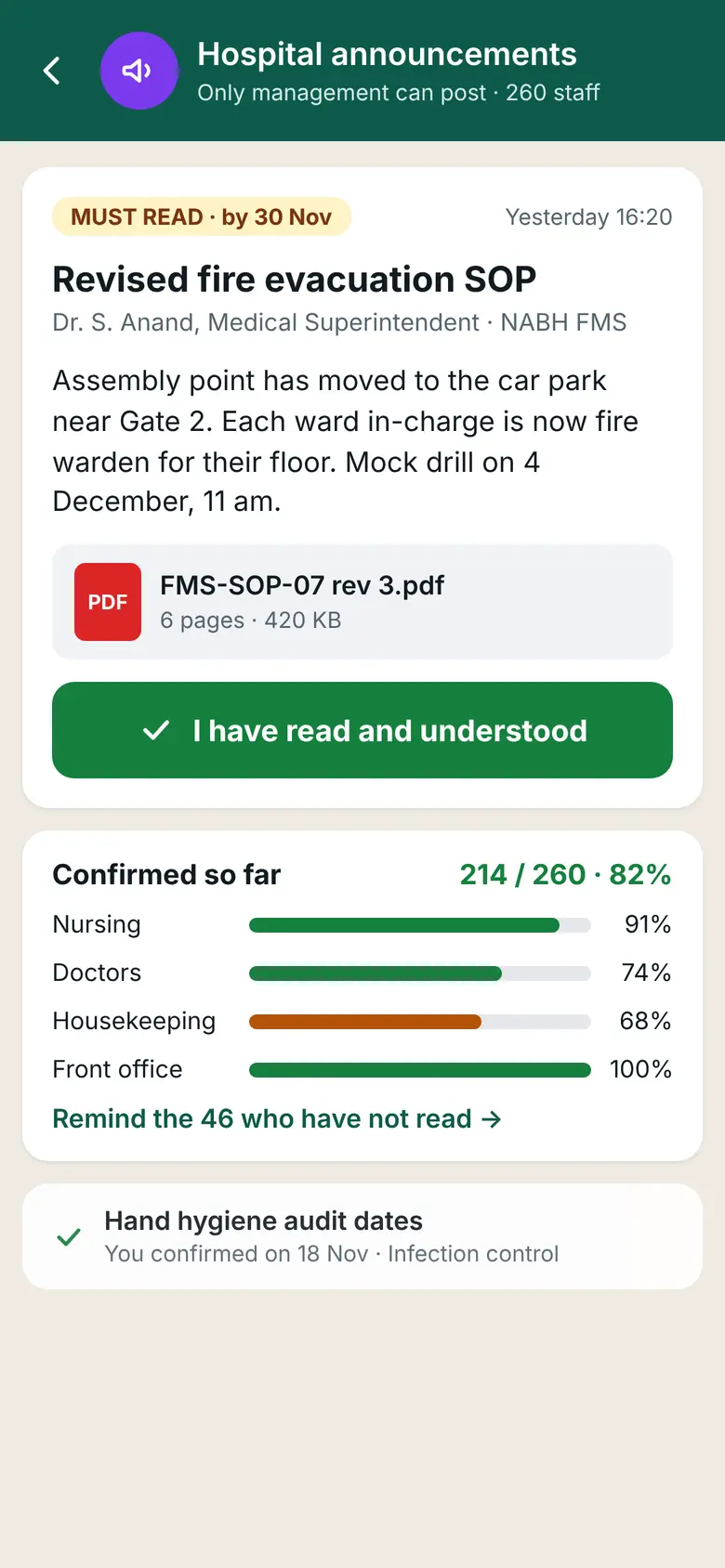
Send a must-read notice about the switch and see exactly who has moved across.
One app for the whole shift
Talk about a patient, inside the record
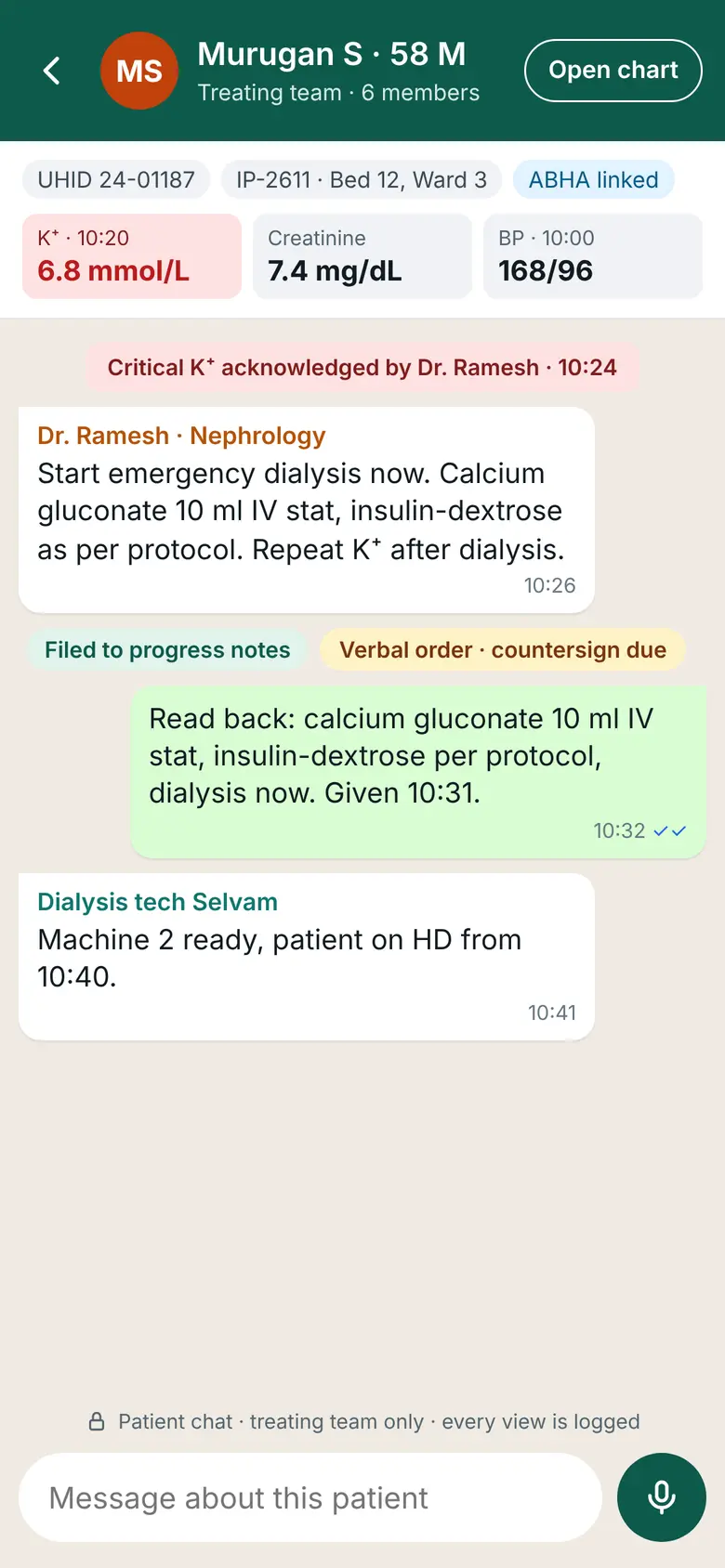
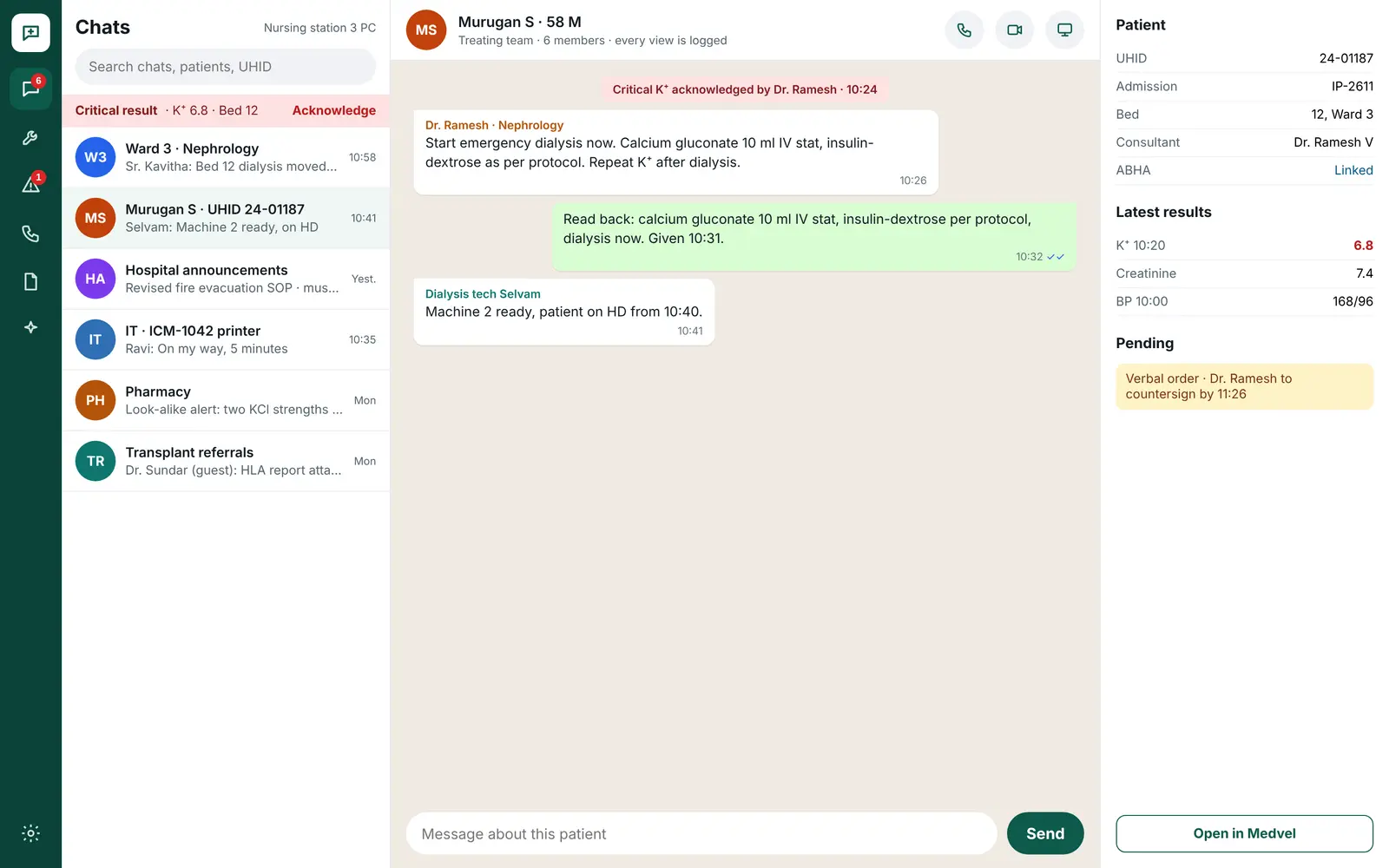
- Start a chat from the patient's page; UHID, bed and latest results show at the top
- Orders typed in chat are read back and sent for countersign
- One tap files a message or photo to the progress notes
- Only the treating team can open it, and every view is logged
Critical values reach the right doctor, every time
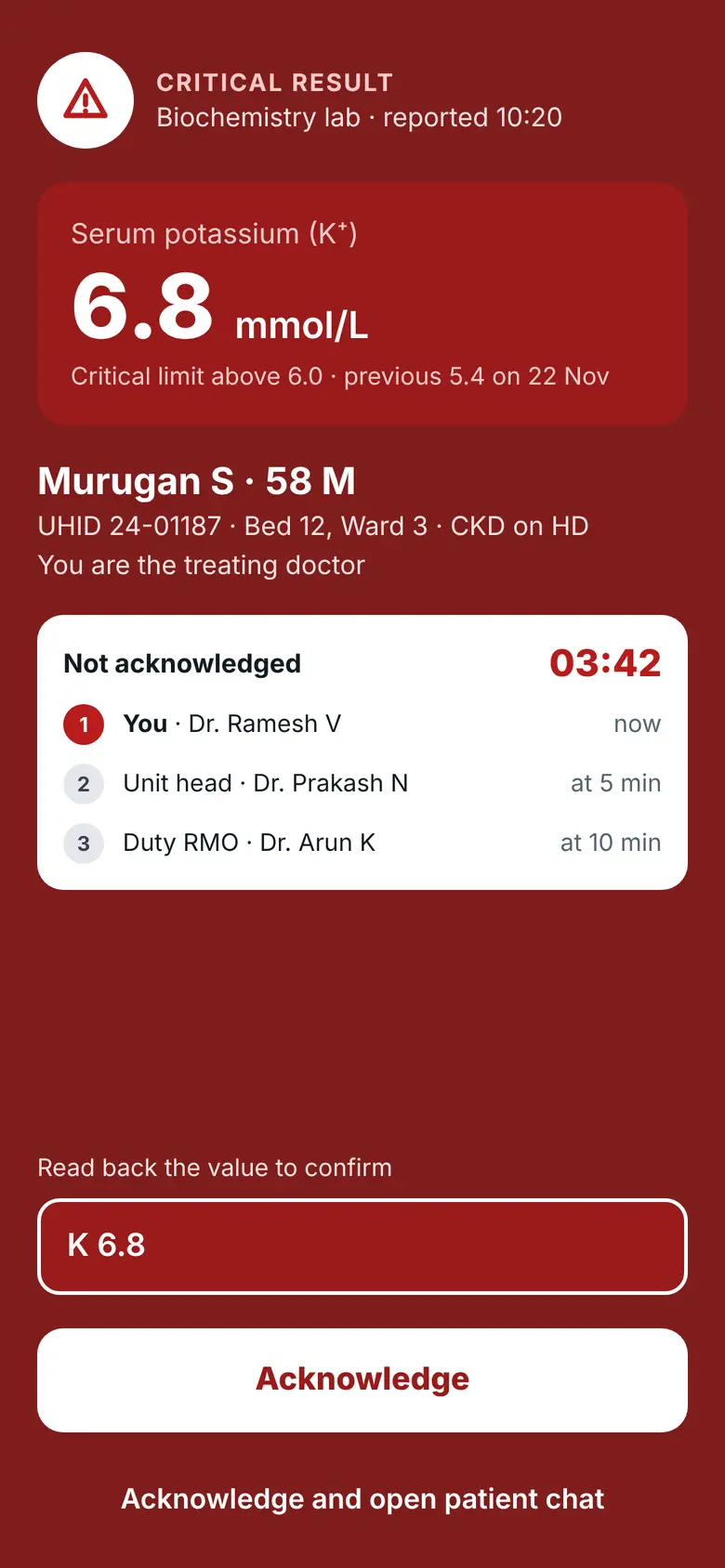
- The lab result goes straight to the treating doctor's phone, full screen
- Acknowledge by reading the value back
- No answer in 5 minutes? It goes to the unit head, then the duty RMO
- Every time is saved for the NABH turnaround report
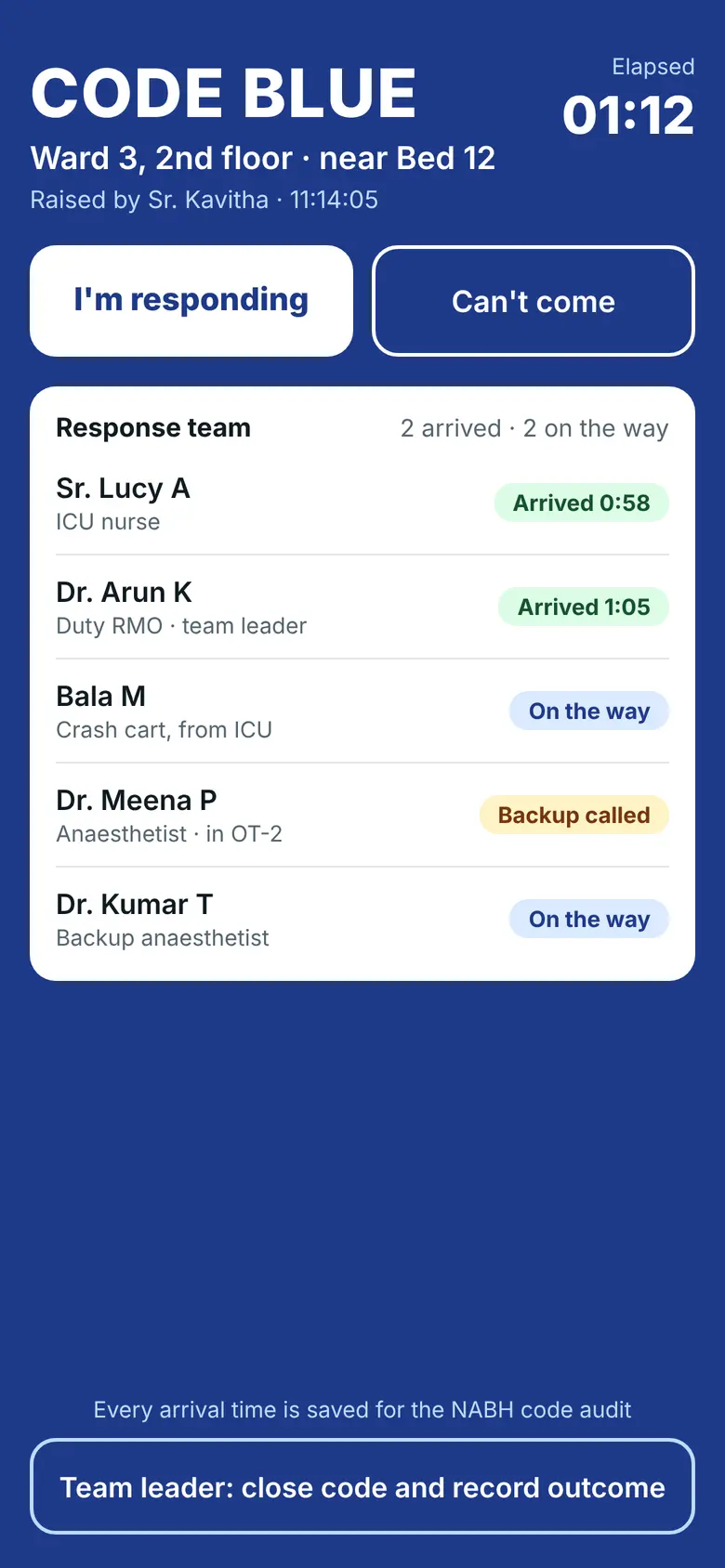
Raise a code in two seconds
- Code Blue, Red, Pink, Grey, Yellow and Black on one screen
- Location filled in from the Wi-Fi zone
- The response team sees who is coming and who has arrived
- Drill and real-event response times kept for audit
Faults fixed, and the person who raised it says so
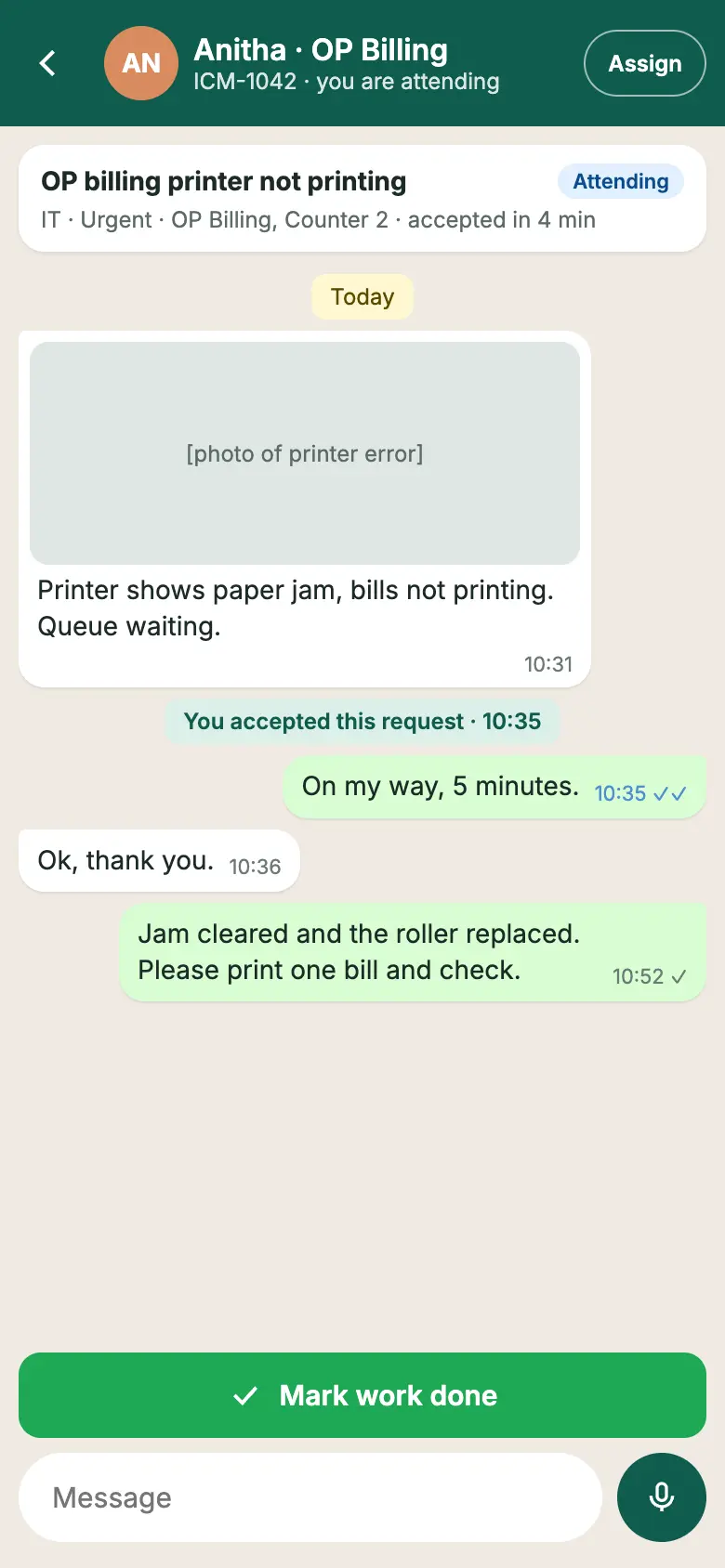
- Raise an IT, biomedical, electrical or housekeeping job with a photo
- The department is notified and the response clock starts
- Chat with the engineer like any WhatsApp chat
- The raiser accepts the fix and rates it
Answers from your own SOPs
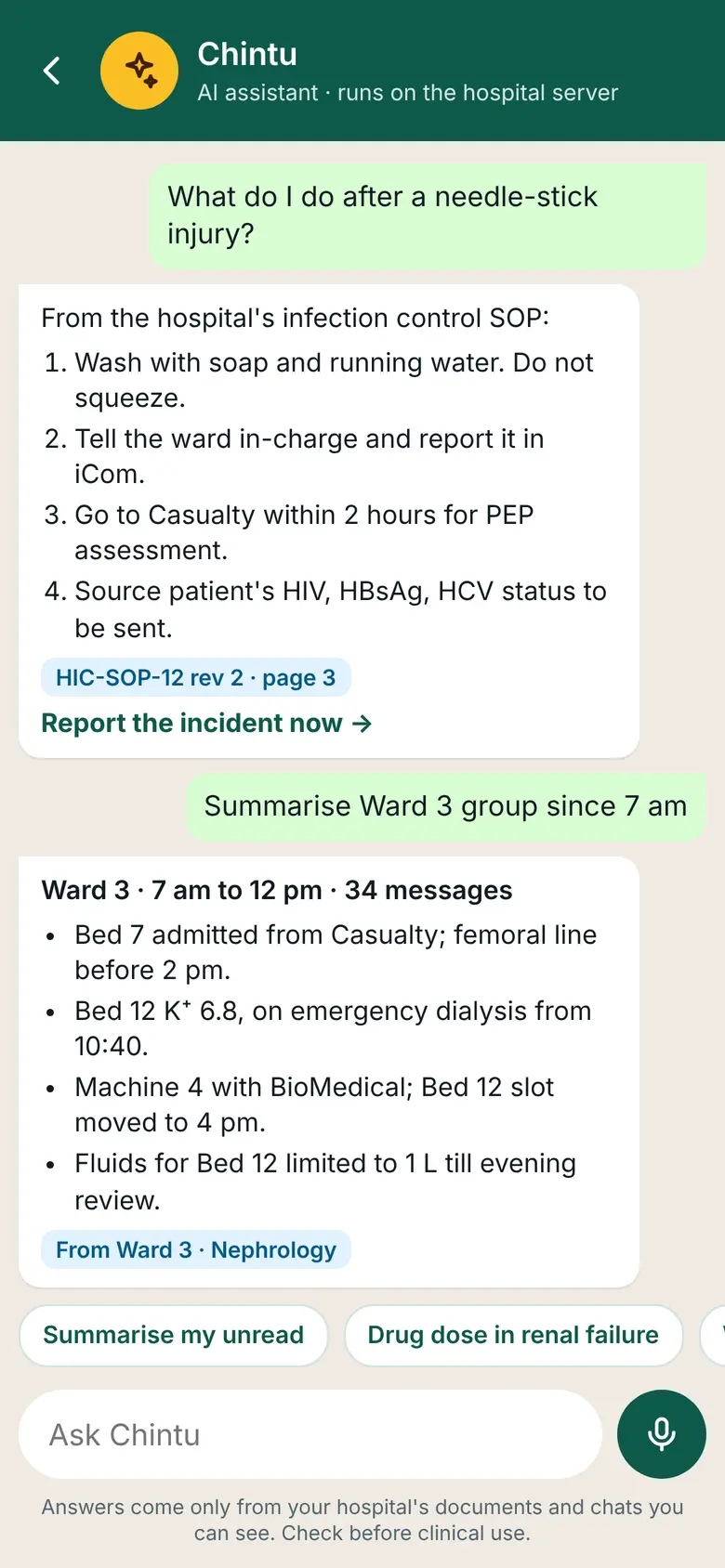
- Ask what the hospital's procedure is, and get the steps with the page reference
- Summarise a busy ward group before your shift
- Runs on your server; nothing is sent outside
Patient data never leaves the hospital
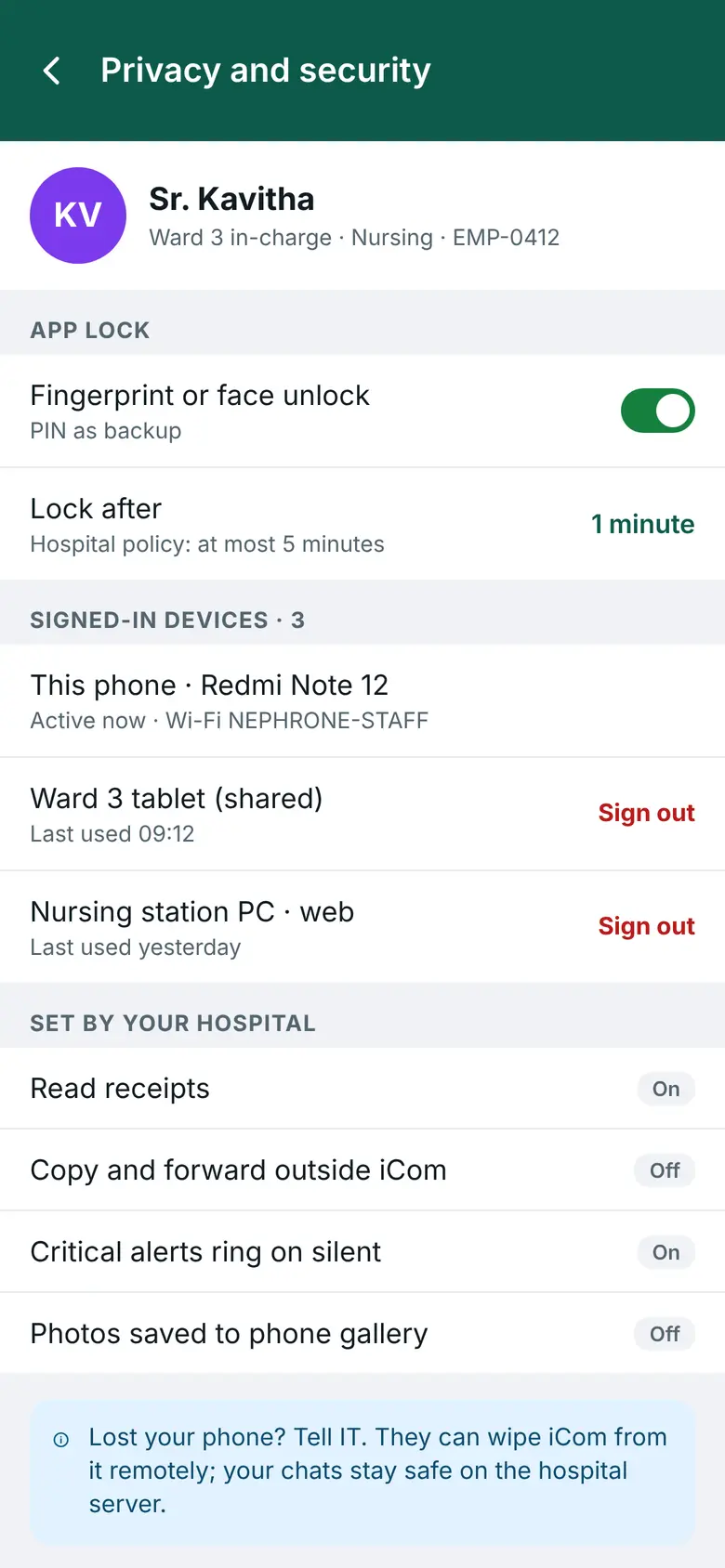
- Messages stored encrypted on your own server, not a foreign cloud
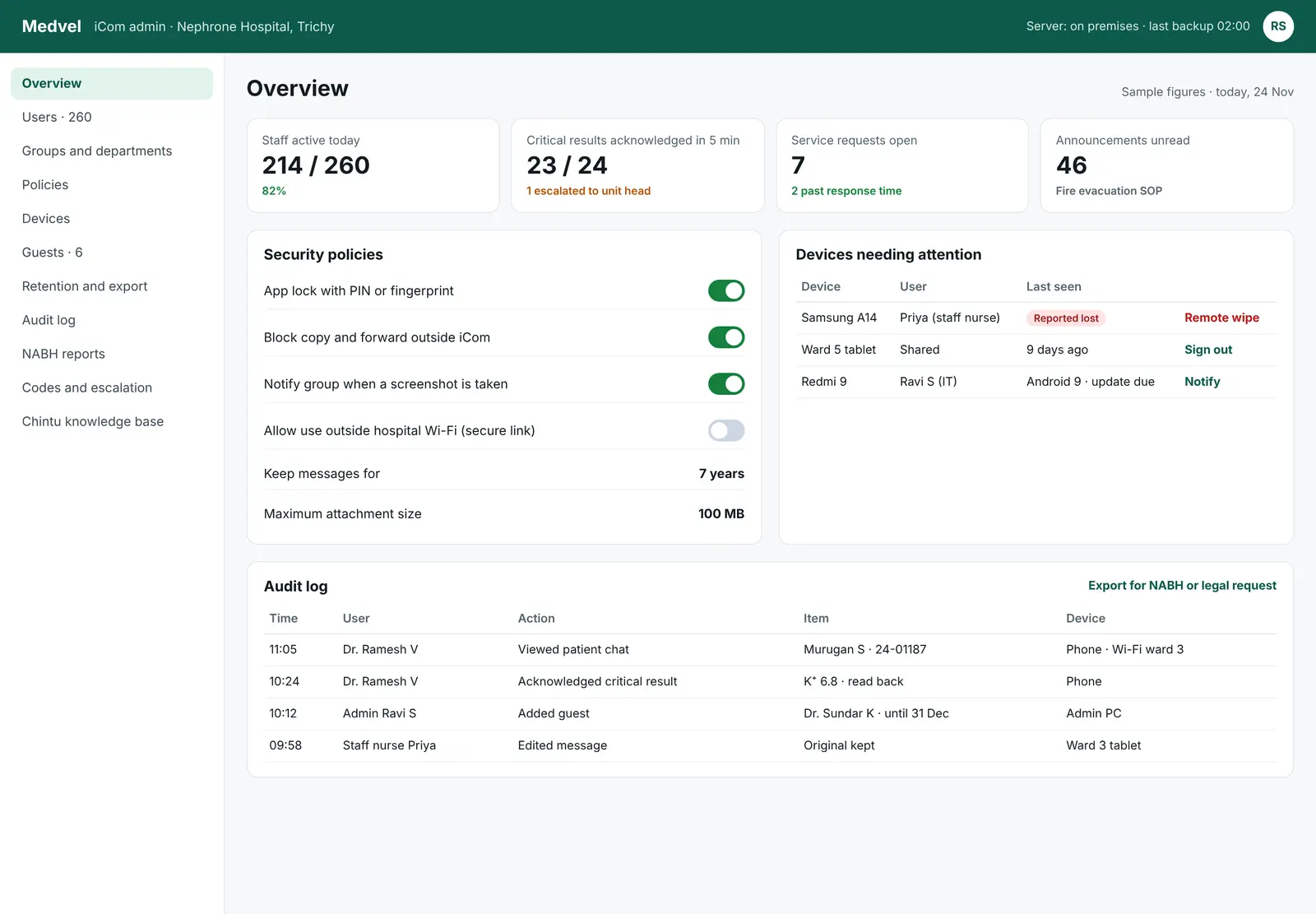
- App lock with PIN or fingerprint; nothing saved to the phone gallery
- Lost phone? IT wipes iCom from it remotely
- Forwarding outside iCom blocked; screenshots notified
IT sets the rules, not each user
- One console for users, groups, devices and guests
- Set retention, attachment size and who may create groups
- Users come from Medvel: leave the hospital, lose access the same day
Evidence for every NABH chapter, one click away
- Critical result turnaround and read-back
- Code response times for every drill
- Verbal order countersign times
- Who opened which patient chat, and when
Built for how a hospital actually runs
Messaging
Ward, department and shift groups with voice notes and read receipts.
Voice and video
HD calls and screen sharing over hospital Wi-Fi.
Meetings
Committee meetings with a waiting room and OTP-checked guests.
Broadcast
Must-read circulars and live town halls with questions.
Service requests
IT, biomedical and maintenance jobs with response times.
Critical alerts
Lab critical values with read-back and escalation.
Code alerts
Six hospital codes in two seconds, location filled in.
Chintu AI
Answers from your SOPs, on your own server.
Same chats on the nursing station PC
The web and desktop app opens beside Medvel, with the patient's details on the right, so nobody has to pick up a phone at the counter.
What hospitals ask first
Do we need the internet for iCom to work?
No. iCom runs on your Medvel server and the hospital Wi-Fi. The internet is only needed for the SMS fallback and for staff who use it from home, if you allow that.
Can staff use their own phones?
Yes. iCom keeps its data separate from the rest of the phone, locks with a PIN or fingerprint, never saves photos to the gallery, and can be wiped remotely if the phone is lost.
Do we need Medvel HMS?
iCom works best with Medvel, where groups, patients and lab alerts come in automatically. It can also run on its own server for messaging, calls and service requests.
How long does it take to go live?
Usually under a week: switch it on, import staff from Medvel, and send a must-read notice asking staff to install the app.